Apple Calendar
If you only have an iPhone
Sharing one night is not the link we need. That only sends an invite. You share the whole calendar, and it has to live in iCloud.
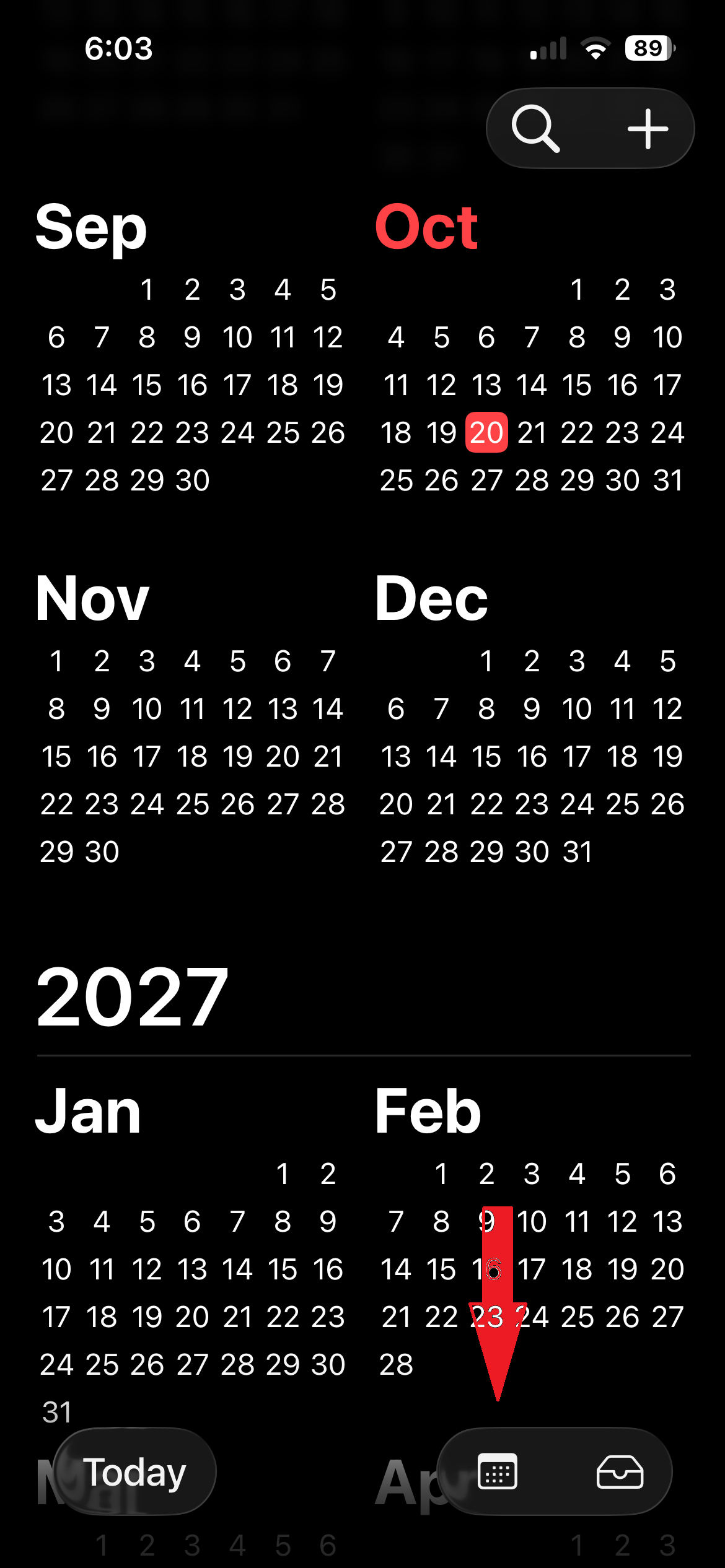
- Open the Calendar app and tap Calendars at the bottom.
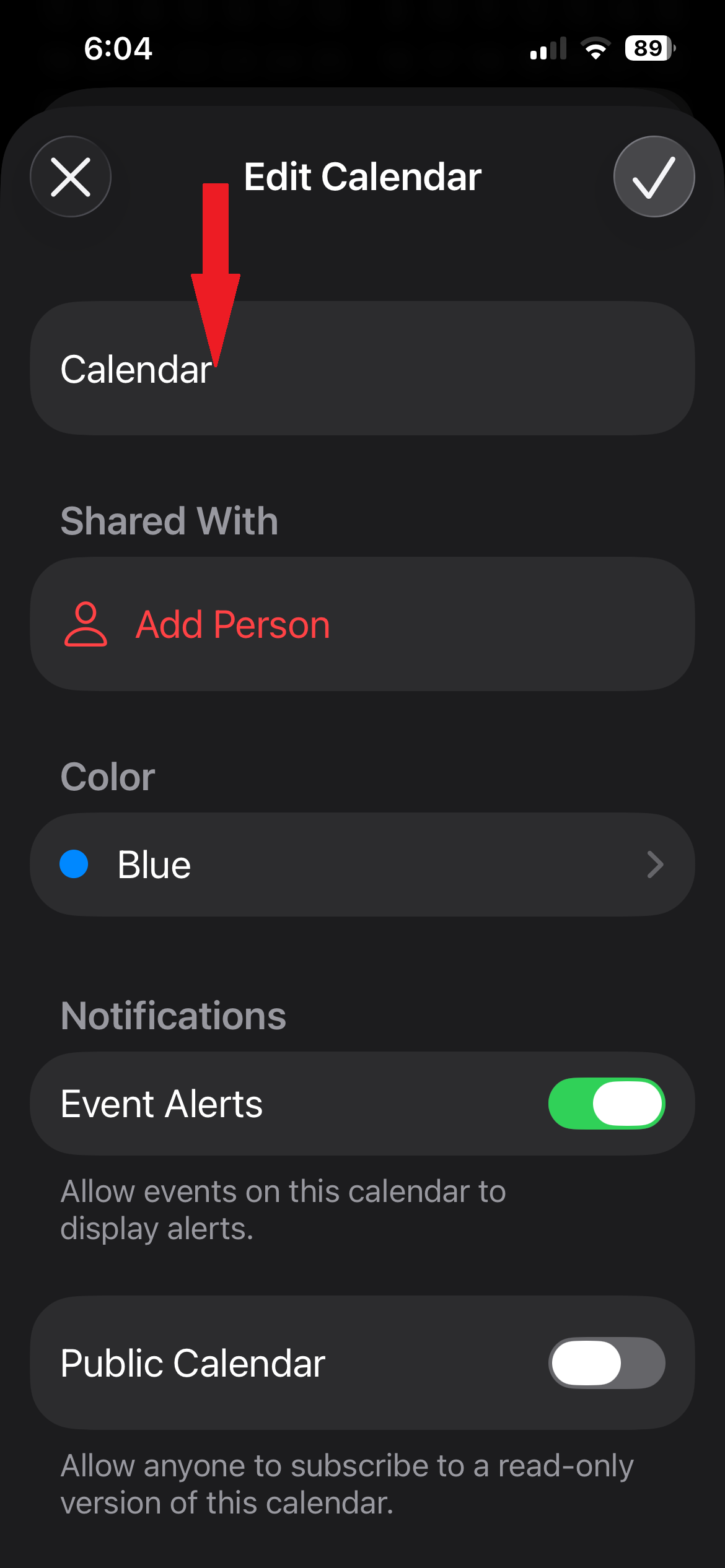
- Under iCloud, tap the circled i next to the calendar name. Do not tap the colored dot.
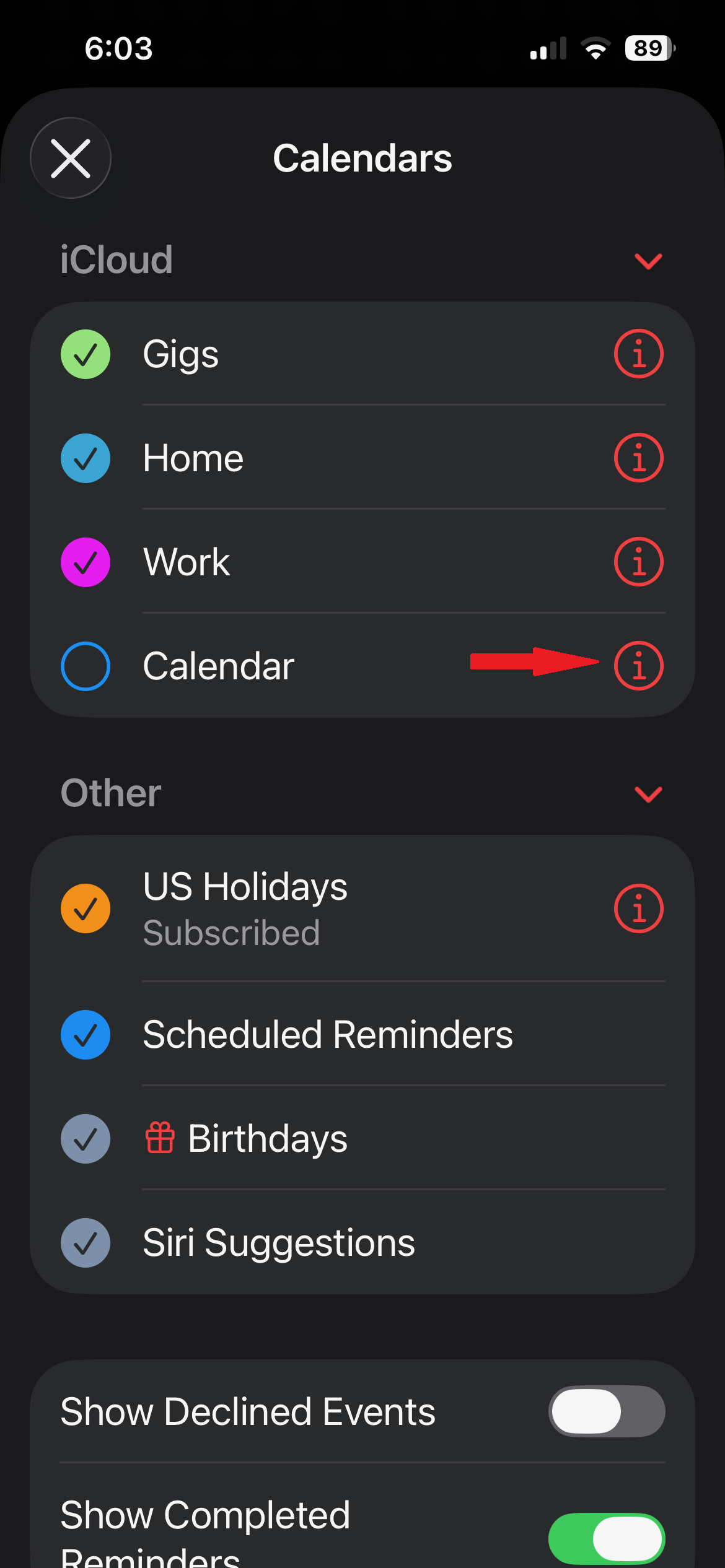
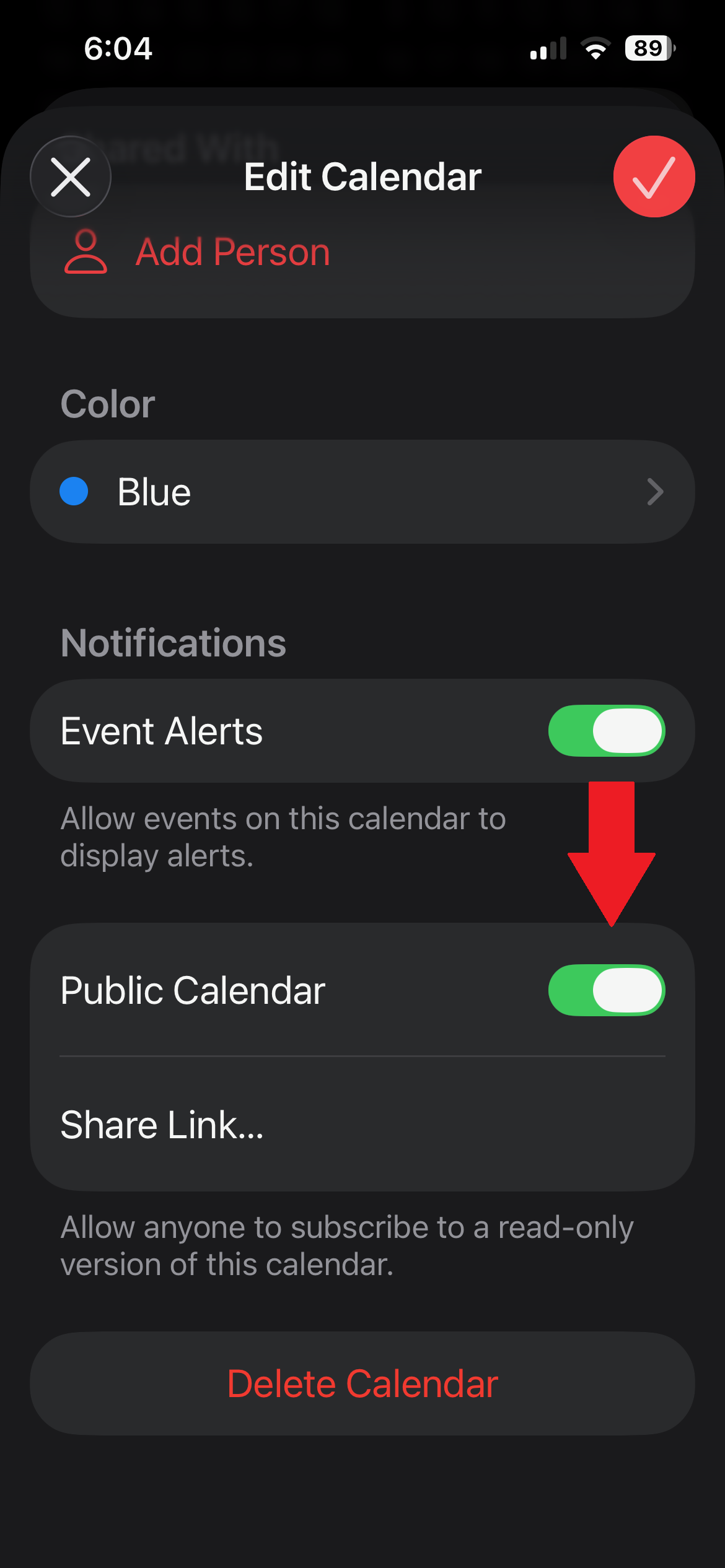
- Turn on Public Calendar.
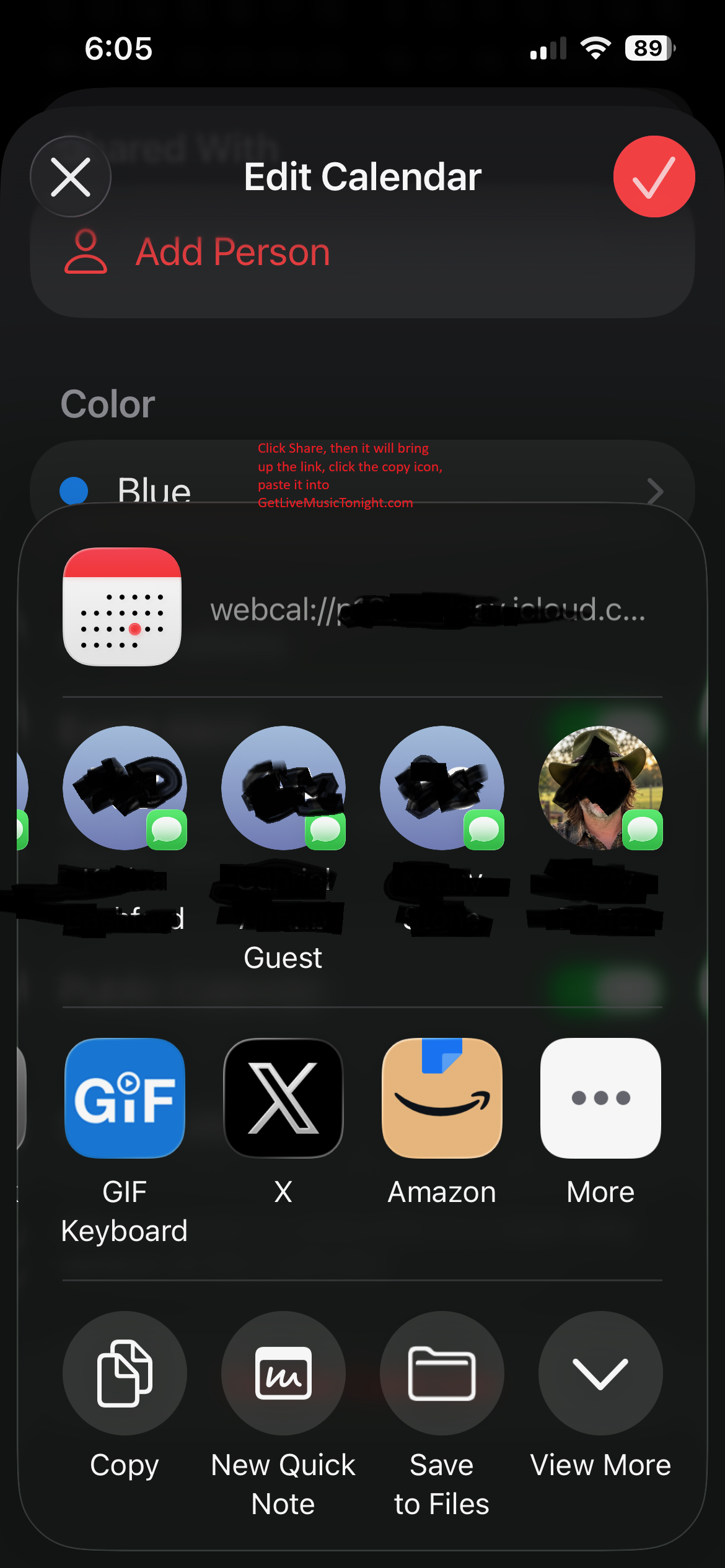
- Tap Share Link, then Copy.
- Paste it into Live Music Tonight. It usually starts with webcal://.
If Public Calendar is missing, the calendar is only on the phone. In Settings, tap your name, turn on iCloud Calendars, make a new calendar there, and put the live-music nights on that one. Then the circled i will show Public Calendar.
Step One
Open the Calendar app. Tap Calendars at the bottom.
Step Two
This is the calendar you will share. The name at the top is that calendar.
Step Three
Under iCloud, tap the circled i next to that calendar. Do not tap the colored circle.
Step Four
Turn on Public Calendar. Then tap Share Link.
Step Five
Tap Copy. Paste that link into Live Music Tonight. It starts with webcal://.